Edit Advert Campaign
Some images on this page may not display correctly if you have an ad blocker installed. Disable your ad blocker on this site to see all images.
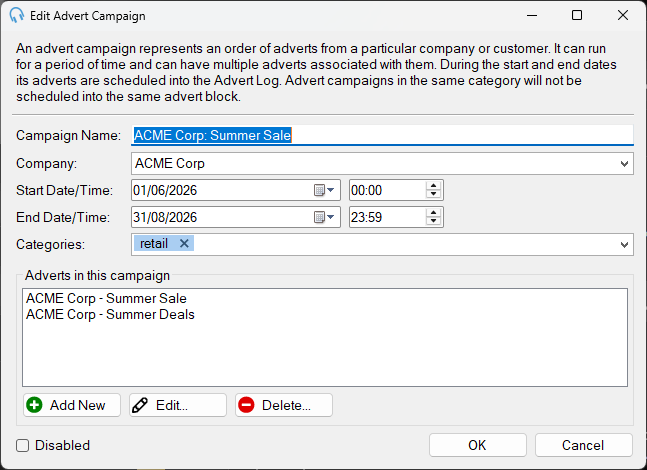
The Edit Advert Campaign window lets you configure the details of an advert campaign, including the name, company, date range, categories, and the individual adverts that belong to the campaign.

Company

The name of the company or customer placing the campaign. Existing company names are suggested as you type.
Date Range

The range of dates between which the advert scheduler will automatically schedule this campaign. It is still possible to manually schedule the campaign outside these dates.
Categories

The categories this campaign belongs to. Categories are used to prevent adverts of the same kind being played in the same advert block. For example, you would not want two competing fast food restaurants to be played in the same advert block. Adverts in campaigns with the same category will never be played in the same advert block.
Adverts
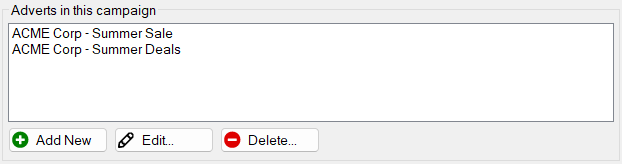
The list of adverts that belong to this campaign. An advert represents an audio cut that can be played at specified times of the day or week, up to a maximum number of plays for the campaign.
- Click Add New to add a new advert. Opens the Edit Advert window.
- Click Edit... to edit the selected advert. Opens the Edit Advert window.
- Click Delete... to remove the selected advert from the campaign.
Disabled

Tick this checkbox to disable the campaign. A disabled campaign will not be scheduled automatically by the advert scheduler.
OK / Cancel

Click OK to save changes and close the window. Click Cancel to discard any changes.