Built-in Remote Access Server
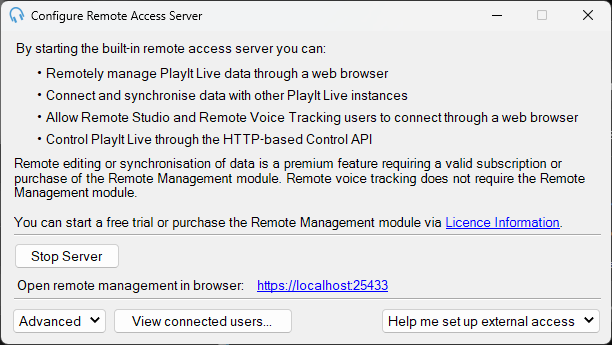
The Built-in Remote Access Server configuration window.
The Built-in Remote Access Server is a key feature of PlayIt Live that allows remote users to manage and interact with PlayIt Live from virtually anywhere. It can be accessed via the File > Enable remote connections... menu item.
The Remote Access Server provides remote users with an array of functionalities:
Remote Studio
The Remote Studio feature allows users to access the studio in real-time using a supported browser (Google Chrome, Microsoft Edge, or Mozilla Firefox). Remote users can perform the same actions as if they were using the main interface in the studio, such as starting and stopping players, dragging tracks into the playout log, and adjusting segues. They can also monitor audio in real-time and introduce their microphone into the mix. Remote Studio users can be restricted to certain times of the day when they can edit the playout log and start live audio.
Remote Management
Remote Management of PlayIt Live data allows remote users to manage PlayIt Live data using a web browser. This feature allows them to access the system to make changes to the track library, clock schedules and playout log without being physically present in the studio or interrupting the on-air presenter.
Remote Voice Tracking
Remote Voice Tracking allows remote users to record voice tracks using a supported browser (Google Chrome, Microsoft Edge, or Mozilla Firefox) or PlayIt VoiceTrack (a Windows desktop application).
PlayIt Live Control API
Control PlayIt Live programmatically using an HTTP-based API. This allows for automation and management of various PlayIt Live functions.
Advanced Settings
There are various advanced settings including changing the port number and configuring an HTTPS secure connection. PlayIt Live can also automatically update your IP address to a static .playitradio.com address.
Setting Up External Access
To help you set up your computer so you can access the remote server from the internet, you can click the Help me set up external access button and follow the instructions.