Setting Up External Access
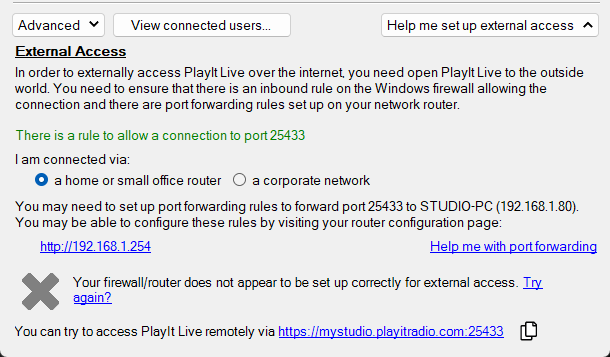
The "Help me set up external access" section provides some assistance to allow others outside your network to access your computer.
To allow external access to your computer, follow these steps:
Home or small office network
1. Create a firewall rule
You will need to create a firewall rule to allow connections to the remote access server port. If you are using Windows Defender Firewall, you can click the Create rule button to automatically add this rule. However, if you are using a different firewall, such as McAfee, you will need to refer to its documentation to allow connections through the server port.
2. Set up port forwarding
If you have a home or small office network, PlayIt Live will try to set up port forwarding for you using Universal Plug and Play (uPnP). However, you may need to set up port forwarding rules manually on your network router to route incoming traffic on the remote access server port to your PlayIt Live computer.
You will need to forward the TCP port, along with the name of your computer and its internal IP address, which are displayed on this window.
Since each router is different, specific instructions cannot be provided. You can click the Help me with port forwarding link for AI-assisted guidance tailored to your specific router brand and network setup.
Corporate or school networks
For corporate or school networks, your IT administrator will need to:
- Allow inbound TCP traffic on the remote access server port (default 25433) through the network firewall.
- Configure port forwarding or a NAT rule to route incoming traffic on that port to the internal IP address of the PlayIt Live computer.
Alternative: VPN tunnel services
If port forwarding is not possible, for example because your internet service provider uses Carrier-Grade NAT (CGNAT) or your network administrator does not permit it, you can use a VPN tunnel service as an alternative. Services such as Tailscale, ZeroTier, or Cloudflare Tunnel create a secure network connection between your devices without requiring any port forwarding or network firewall changes. Traffic is routed through the service's infrastructure, allowing remote users to connect to your PlayIt Live server as if they were on the same local network.
PlayIt Software cannot provide direct support for these services. Please refer to their respective documentation for setup instructions.
Successful setup
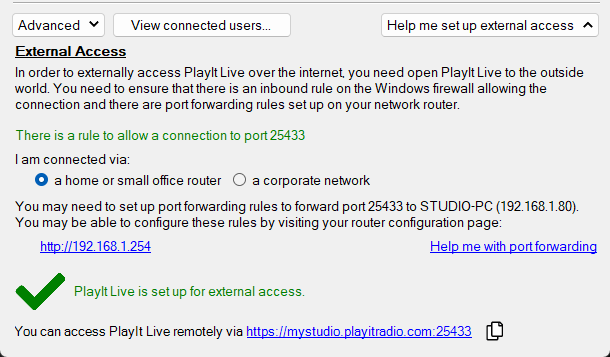
Once you have set up your system correctly for external access, the window should look something like this: