Edit Multiple Artist Split Window
1
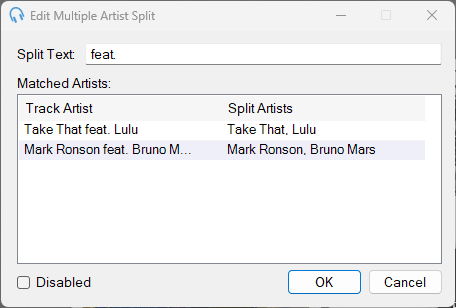
Split Text

The text used to separate a Track Artist into multiple artists. Include spaces either side of the text if you intend to split by a word. For example, with on its own could match George Michael with Elton John but also Bill Withers.
2
Matched Artists
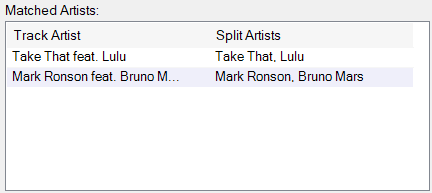
This table shows all the artists that are matched given the entered split text. Here you can see if the split text is achieving the desired outcome.
3
Disabled

Use this checkbox to disable this Multiple Artist Split so it is not considered by the scheduler.
4
OK

Click OK to save the Multiple Artist Split and close the window.
5
Cancel

Click Cancel to discard changes and close the window.