Web Links
The Web Links tab allows you to configure custom web links that are displayed in the main window. These links can be used to quickly look up the current track or access websites relevant to your broadcast, such as a search engine, music databases, station websites, or social media.
Web Links can be used to quickly search the web for an artist or track by right-clicking a track on the main interface (or expanding the track's context menu). Each configured link appears as an entry on that right-click menu, and selecting an entry opens the link in your default browser with the current track's details substituted in.
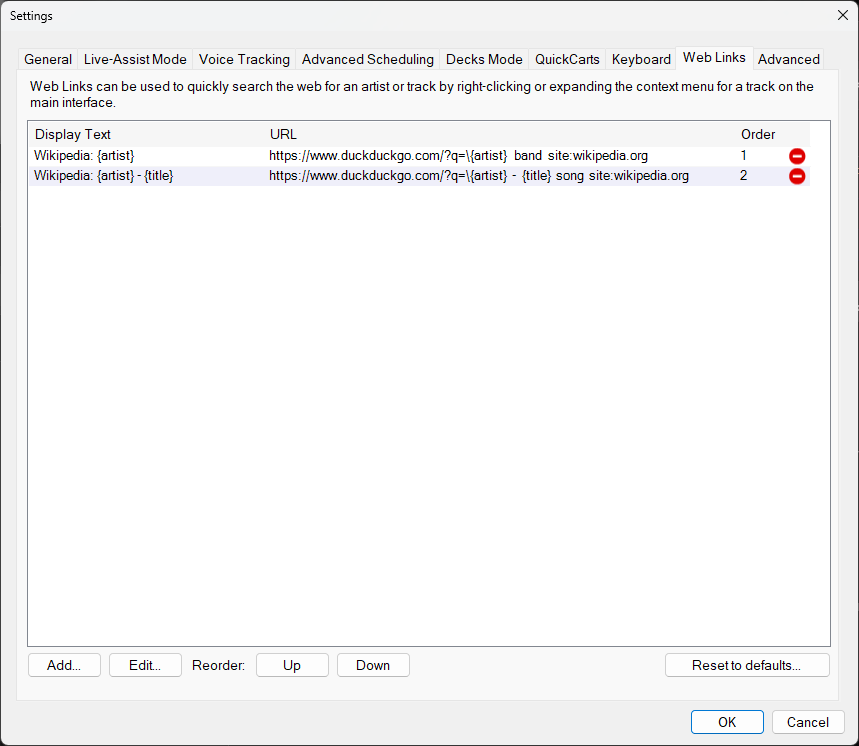
The Web Links tab of the Settings window.
Web Links List
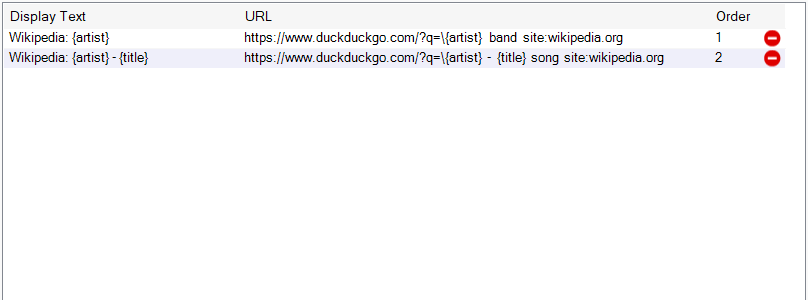
The list shows all configured web links with their display text and URL. Select a link to edit or reorder it.
- Display Text - The text displayed on the right-click context menu, e.g.
Wikipedia: {artist}would displayWikipedia: ABBA. The{artist}placeholder can be used here so the menu entry reflects the current track. - URL - The URL (web address) opened in the browser. Placeholders for
{artist},{title}and{album}can be used and are automatically replaced with the currently playing track's artist, title and album. - Order - The order in which the links appear on the context menu. This can be changed using the Up/Down buttons.
Actions

Use the buttons to manage your web links:
- Add... - Add a new web link.
- Edit... - Edit the selected web link.
- Up / Down - Reorder the selected link.
- Reset to defaults... - Restore the default set of web links.
Examples
| Display Text | URL | Comments |
|---|---|---|
| Wikipedia: {artist} | https://www.duckduckgo.com/?q=\{artist} band site:wikipedia.org | Uses DuckDuckGo to find the first result matching the search. The backslash \ denotes this. |
| Wikipedia: {artist} - {title} | https://www.duckduckgo.com/?q=\{artist} - {title} song site:wikipedia.org | Uses DuckDuckGo to find the first result matching the search. The backslash \ denotes this. |
| Google: {artist} - {title} | https://www.google.com/search?q={artist} - {title} | |
| Wikipedia: {artist} | https://en.wikipedia.org/w/index.php?search={artist} | Directly search Wikipedia. |
| Wikipedia: {artist} - {title} | https://en.wikipedia.org/w/index.php?search={artist} - {title} | Directly search Wikipedia. |
| All Music: {artist} | https://www.allmusic.com/search/all/{artist} | |
| Discogs: {artist} | https://www.discogs.com/search/?q={artist}&btn=&type=artist | |
| Discogs: {artist} - {title} | https://www.discogs.com/search/?q={artist} - {title}&type=release | |
| MusicBrainz: {artist} | https://musicbrainz.org/search?type=artist&query={artist} | |
| MusicBrainz: {artist} | https://www.duckduckgo.com/?q=!mbartist {artist} | Using DuckDuckGo Bangs (DuckDuckGo has a feature called Bangs which makes it easy to query other services: see https://duckduckgo.com/bang). |