Edit Advert Block Settings Window
The Edit Advert Block Settings window is used to configure an advert block clock item. An advert block represents a block of adverts to be played together. The advert tracks that are actually played are determined by the corresponding advert block 'start time' for the scheduled hour in the advert log. This window is launched from the Edit Clock window.
Advert blocks require the Advanced Scheduling module. Start a free two-week trial from within PlayIt Live via Help > Licensing Information.
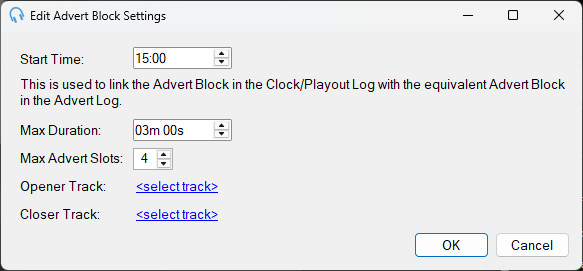
Start Time
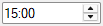
The start time is used to indicate the approximate air time of the advert block within the hour. It is used to match up with the corresponding advert block in the advert log. Note that this does not mean the advert block will play at exactly this time past the hour. If you wish to do this, place a fixed time marker before the advert block.
Max Duration
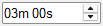
This is the maximum duration of the advert block. When the advert log is scheduled, the corresponding advert block will be no longer than this duration.
Max Advert Slots

This is the maximum number of adverts that will play in this block. When the advert log is scheduled, there will be no more than this number of adverts in the advert block.
Opener Track

A track that will play at the beginning of the advert block, before any adverts. This is typically used for a jingle or station identifier to introduce the commercial break. The opener track will only play if there are adverts scheduled into the block. If there are no adverts in the advert log for this block, then the opener track will not play.
Closer Track

A track that will play at the end of the advert block, after all adverts have finished. This is typically used for a jingle or station identifier to close out the commercial break. The closer track will only play if there are adverts scheduled into the block. If there are no adverts in the advert log for this block, then the closer track will not play.
OK Button

Click OK to save the settings and close the window.
Cancel Button

Click Cancel to discard changes and close the window.
For more information, see Advert Scheduling.