Advanced
The Advanced tab contains low-level audio and system settings. These settings should only be changed if you are experiencing specific issues or have been advised to change them.
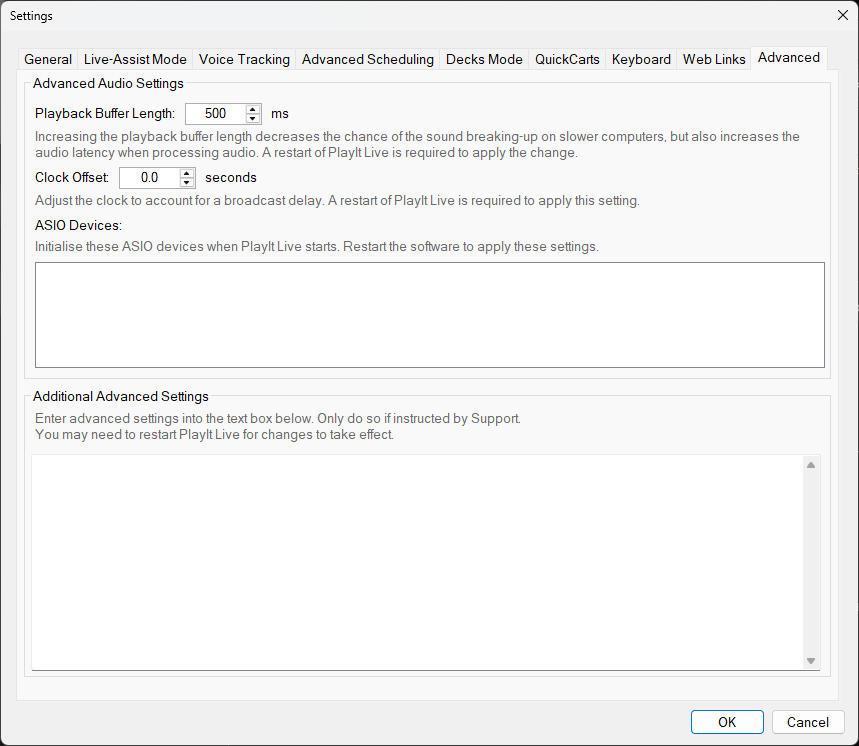
The Advanced tab of the Settings window.
Playback Buffer Length

Set the playback buffer length in milliseconds. A longer buffer provides more stable playback but introduces more latency. The default value works well for most systems. Only increase this if you experience audio glitches or dropouts. A restart of PlayIt Live is required to apply the change.
Clock Offset

Adjust the clock to account for a broadcast delay. Positive values move the clock forward, negative values move it back. A restart of PlayIt Live is required to apply the change.
ASIO Devices

Select which ASIO audio devices are available for use in PlayIt Live. ASIO provides low-latency audio output and is recommended for professional broadcast setups. Only devices that are checked in this list will appear in the audio device dropdowns throughout the application. ASIO devices must be explicitly initialised to avoid potential conflicts with the equivalent standard driver loaded by PlayIt Live.
Additional Advanced Settings
A text field for entering additional advanced settings as key-value pairs. These settings are used for specialised configurations and troubleshooting. Only modify these if directed by PlayIt Software support. You may need to restart PlayIt Live for changes to take effect.