Edit Track / Artist / Title Separation Playout Policy Window
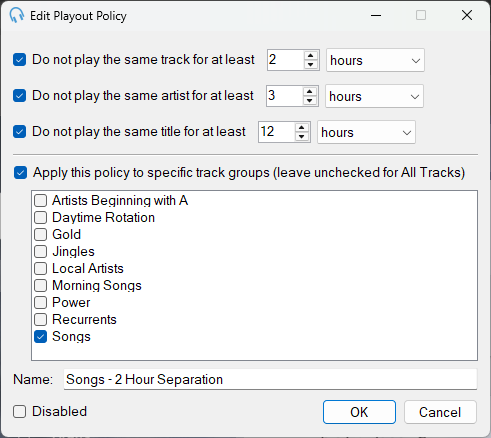
Track Separation Time

Use the up and down arrows to change the minimum number of hours or minutes that should pass before a track is played again. Use the dropdown to change the time unit.
Artist Separation Time

Use the up and down arrows to change the minimum number of hours or minutes that should pass before an artist is played again. Use the dropdown to change the time unit.
Title Separation Time

Use the up and down arrows to change the minimum number of hours or minutes that should pass before a title is played again. Use the dropdown to change the time unit.
What is the difference between track separation and title separation? Track separation ensures that the same recording is not played too frequently by recognising each track instance as unique. Title separation deals with different songs that share the same title, such as Christmas songs. For example, multiple artists might have their own versions of Silent Night. Bear in mind this will also separate completely different songs that happen to have the same title, such as Hello by Adele and Hello by Lionel Richie, or The Power of Love by Jennifer Rush, The Power of Love by Frankie Goes to Hollywood and The Power of Love by Huey Lewis and the News.
Specific Track Groups
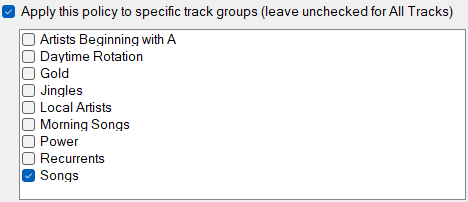
Check the checkbox to ensure this playout policy is only applied to the selected track groups. Leave the checkbox unchecked to apply the policy to all tracks.
Name

The name of the playout policy.
Disabled

Disable a playout policy so it is not considered by the scheduler.
OK

Click OK to confirm changes to the playout policy.
Cancel

Click Cancel to discard changes.