Logged Tracks
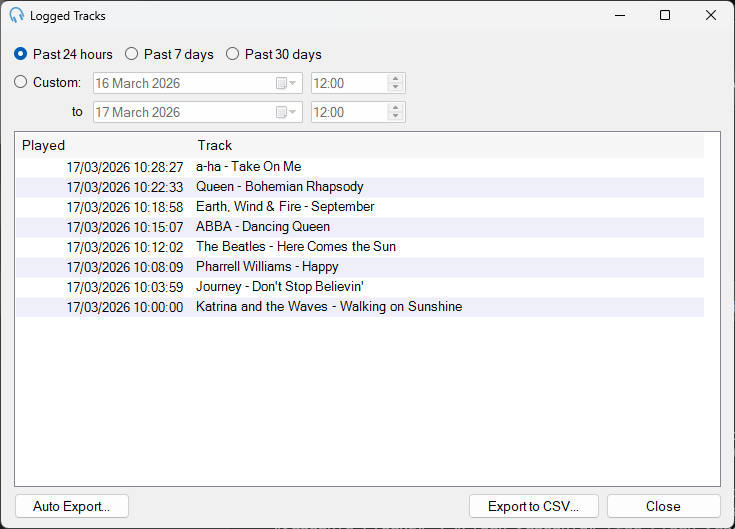
Logged tracks are tracks that have been played in the past by PlayIt Live. Stored with each track is a timestamp to tell you when it was played.
In Decks Mode a track is logged if it is played for more than 75% of its duration.
In Live-Assist Mode a track is logged if it has started playing and exists in the playout log in the past.
Logged Tracks Window
The Logged Tracks window shows a list of the recently logged tracks. It is possible to export the visible list to CSV format to import into Excel or another spreadsheet application for reporting.
Past 24 hours
Filters the logged tracks list to those logged in the past 24 hours.
Past 7 days

Filters the logged tracks list to those logged in the past 7 days.
Past 30 days
Filters the logged tracks list to those logged in the past 30 days.
Custom

Filters the logged tracks list by a custom date range. Select the dates using the calendar drop down and select the time.
Logged Track List
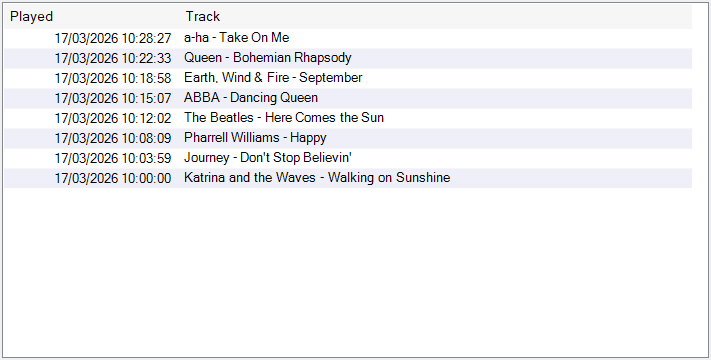
Displays the list of logged tracks matching the selected date filter.
Auto Export...
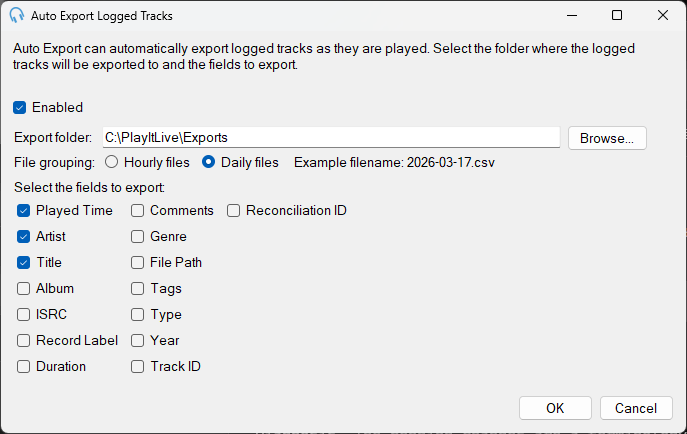
Auto Export automatically exports logged tracks as they are played. When enabled, a CSV file is created for each hour or day (depending on your file grouping selection), and track information is appended to that file each time a track is logged. Click the Auto Export... button to configure the export folder and select which track fields to include. The exported files can be imported into spreadsheet applications or other systems such as third-party schedulers for reconciliation.
Export to CSV...
Click the Export to CSV... button to export the current visible logged track list to CSV (comma separated values) format. This format can be imported into spreadsheet applications for reporting purposes. When you click the button a window will be shown allowing you to select the fields you wish to export.
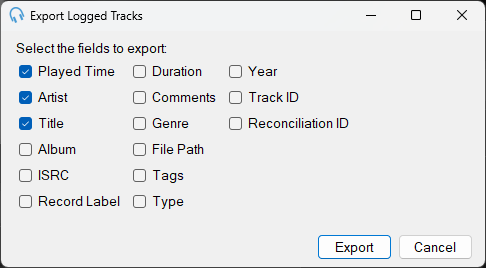
Click Export to select a file to export to.
Close

Click the Close button to close the Logged Tracks window.