Add New Tracks Group
After reviewing your tracks, the final page of the wizard is the group assignment section. Here you can add the imported tracks to an existing track group, create a new group for them, or leave them in the All Tracks group. Click Finish to add the tracks to your library.
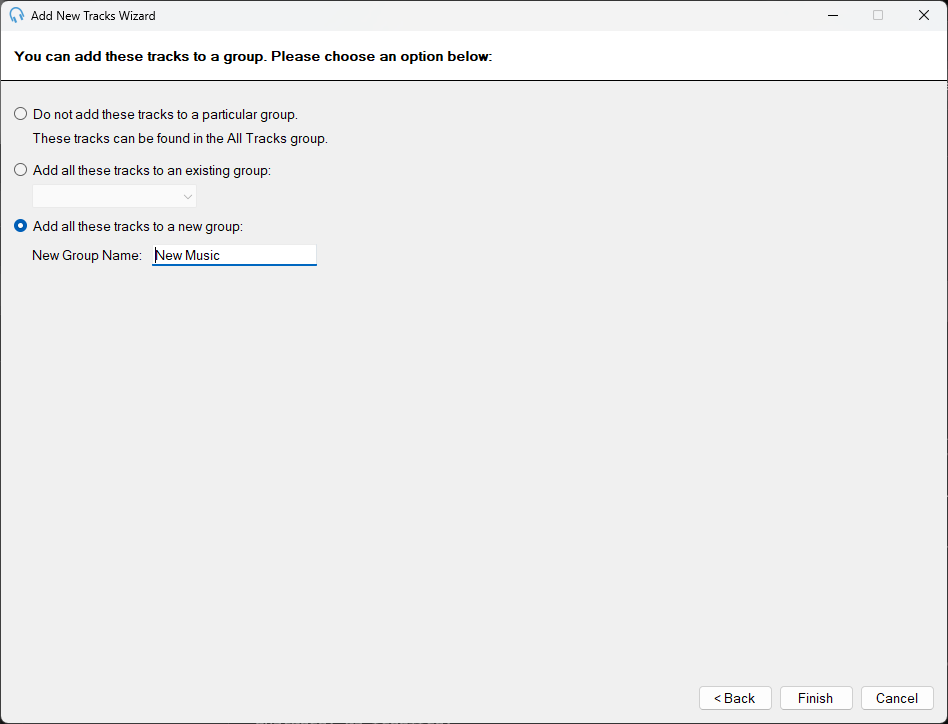
The Add New Tracks Wizard showing the group assignment options.
Leave in All Tracks Group

Select this option to leave the imported tracks without assigning them to a particular track group. The tracks will still appear in the All Tracks group.
Add to Existing Group

Select this option to add the imported tracks to an existing track group. Choose the group from the dropdown list.
Add to New Group

Select this option to add the imported tracks to a new track group. Enter the name of the new group in the text box.
Finish Button

Click the Finish button to complete the wizard and add the tracks to your library.