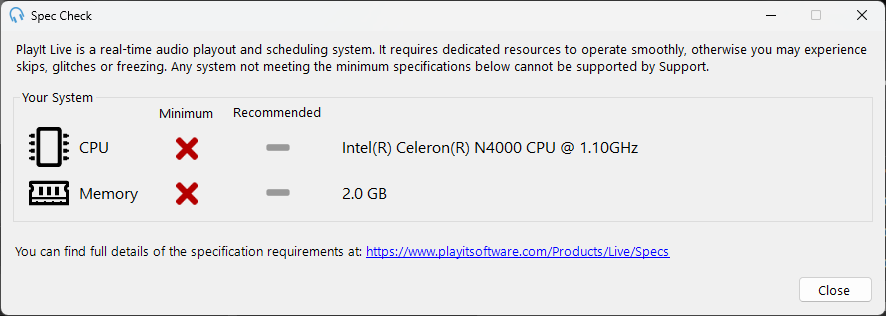
Spec Check Window
The Spec Check window can be accessed from Help > Spec Check in the menu bar.
PlayIt Live is a real-time audio playout and scheduling system. As such, it requires dedicated resources to operate smoothly, otherwise you may experience skips, glitches or freezing. Please ensure your system meets the minimum, and ideally recommended, specifications defined at playitsoftware.com/Products/Live/Specs.
You can use this window to automatically scan your CPU and memory to determine if your system is compatible.
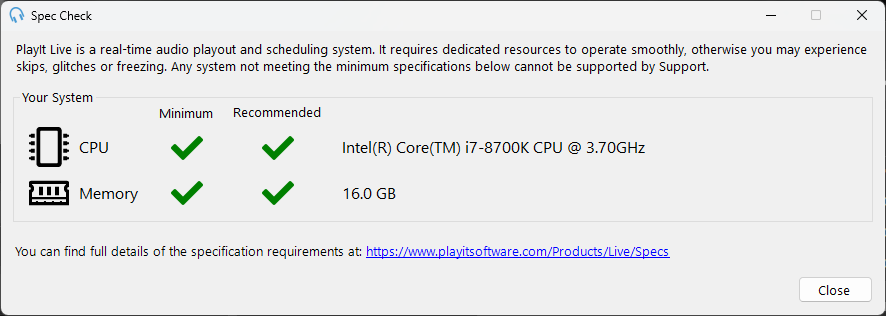
System Meeting Recommended Requirements
When your system meets the recommended requirements, all items show a green check mark.
System Not Meeting Minimum Requirements
When your system does not meet the minimum requirements, items that fail are marked with a red cross.