Missing Track File Analysis
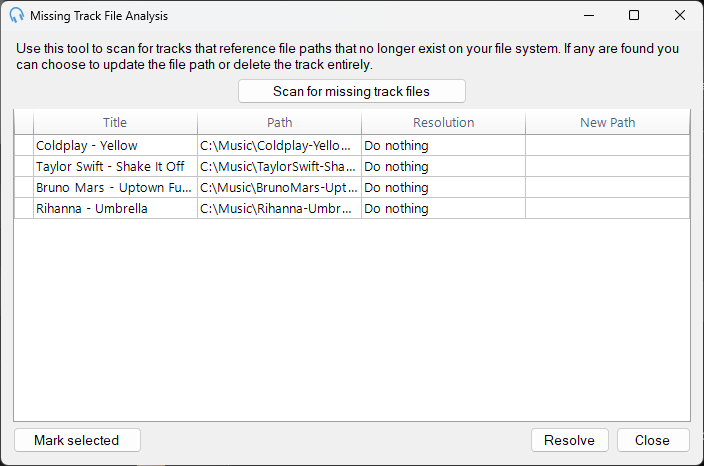
Use the Missing Track File Analysis window to find tracks that reference audio files that have been moved or deleted. This is useful if you have recently moved audio files to another folder and you need to update PlayIt Live to point your tracks to these new files.
To open the window, go to Tools > Missing Track File Analysis.
Scanning for missing files
Click the Scan for missing track files button to begin scanning your track library.
Any tracks that are found with missing audio files will be displayed in the list.
Resolving missing files
Click in the Resolution cell of a row to choose what to do with the track:
- Do nothing - Leave the track as it is.
- Update path - Update the track to point to a new file location. When choosing this option, select a new path from the New Path column. PlayIt Live will check all other tracks to see if they have also been moved to that location and will automatically set those to Update path if they have not already been resolved.
- Delete track - Remove the track from the library.
You can resolve multiple rows at once by selecting them using the Ctrl or Shift keys, then clicking the Mark selected button and choosing the resolution.
Once you have selected your resolutions, click the Resolve button to apply the changes.