Manage Monitored Folders Window
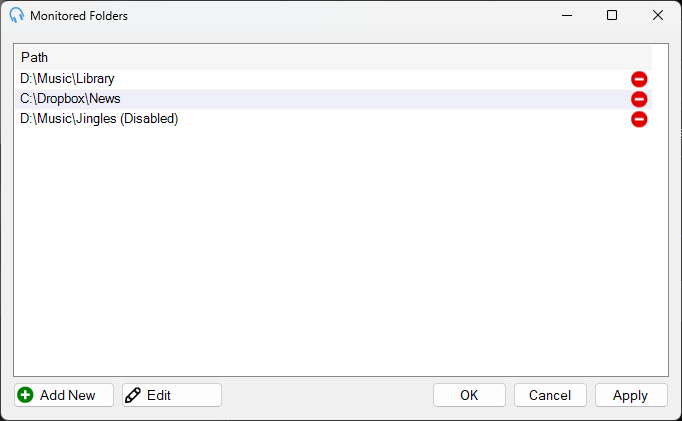
From the Monitored Folders window you can see the list of existing Monitored Folders.
1
List

The list of existing Monitored Folders. From here you can add, edit and delete monitored folders. Double-click an entry to open the Edit Monitored Folder window.
2
Add New
Click to add a new Monitored Folder.
3
Edit
Click to edit the selected Monitored Folder.
4
OK

Click OK to save changes and close the window.
5
Cancel

Click Cancel to discard changes and close the window.
6
Apply

Click Apply to save changes without closing the window.