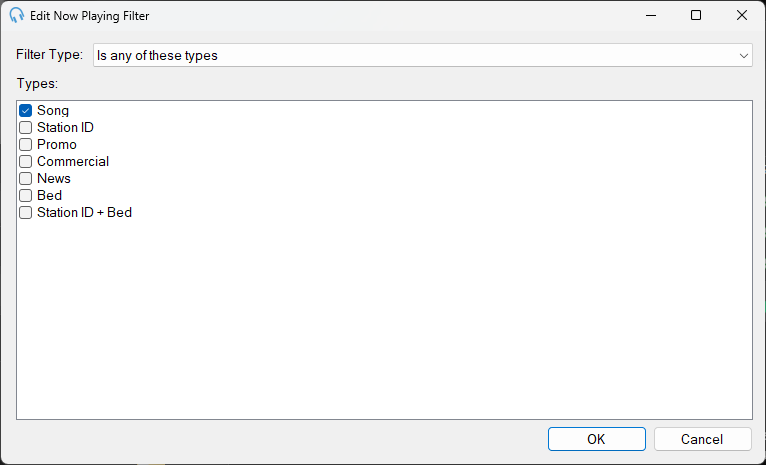
Edit Now Playing Filter
1
Save
Click Save to apply the configured filter and return to the Now Playing window.
2
Cancel
Click Cancel to discard any changes and close the window.
To open this window, click Add New... or Edit... in the Filters section of the Now Playing window.
Filter Type
Select the criteria for filtering tracks:
- Is in any of these track groups selects tracks that belong to any of the chosen track groups.
- Is NOT in any of these track groups selects tracks that do not belong to the chosen track groups.
- Is any of these types selects tracks based on specific types (e.g. Song, Station ID).
- Is NOT any of these types selects tracks that are not of the chosen types.
Track Groups / Types
Based on the selected Filter Type, this section displays a list of either track groups or track types. Check the boxes next to the relevant items that should be included or excluded, depending on the chosen filter type.
Filters are evaluated for each track. When multiple filters are configured in the Now Playing window, only tracks that meet the criteria of all filters will send Now Playing updates.