Activating Offline
If the computer on which you have installed PlayIt Live is not connected to the internet, it is possible to activate offline.
Open Activate Offline
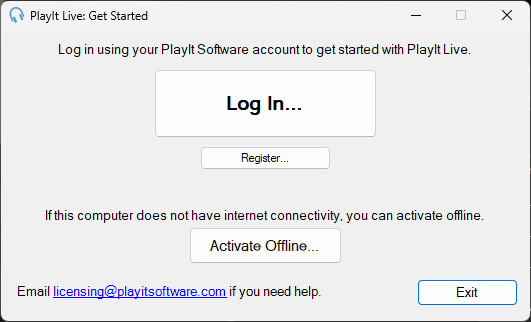
From the Get Started window, click Activate Offline...
Generate a licence key
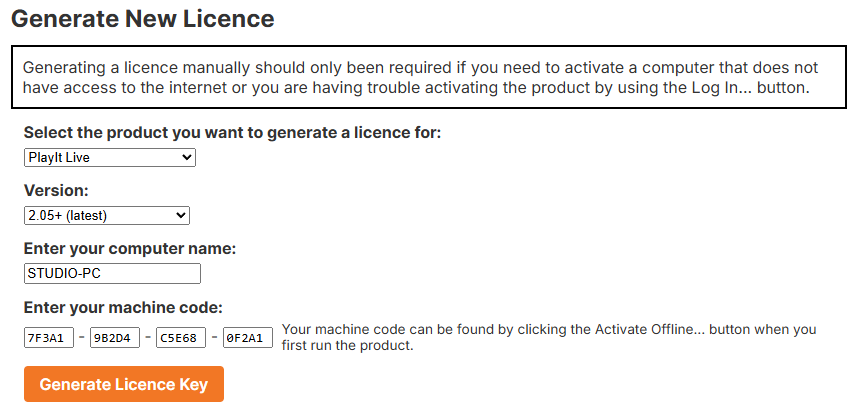
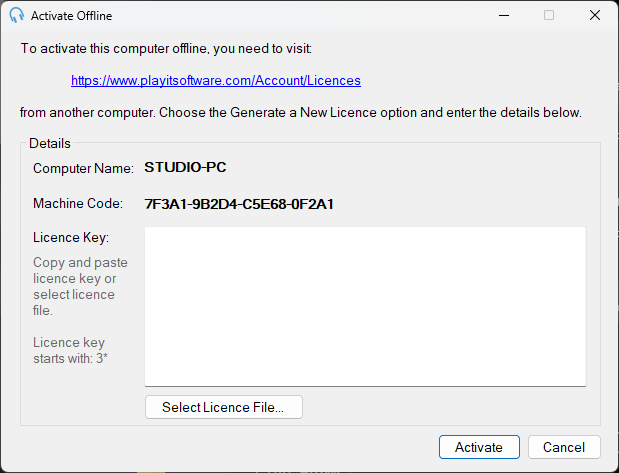
In the Activate Offline window, you will need to enter your Licence Key. To generate a new licence, visit playitsoftware.com/Account/Licences/Generate. If you have not already, you may be prompted to log in or create an account.
In the Generate New Licence section, select PlayIt Live and ensure that version 2.05+ (latest) is selected. Enter the Computer Name and Machine Code that you see in PlayIt Live and click Generate Licence Key.
Enter the licence key
Once the licence key is generated, make a note of it or download the licence file and select it within PlayIt Live. Licence keys start with the text "3*".
By following these steps, you can activate PlayIt Live offline without an internet connection.