Edit Now Playing Target
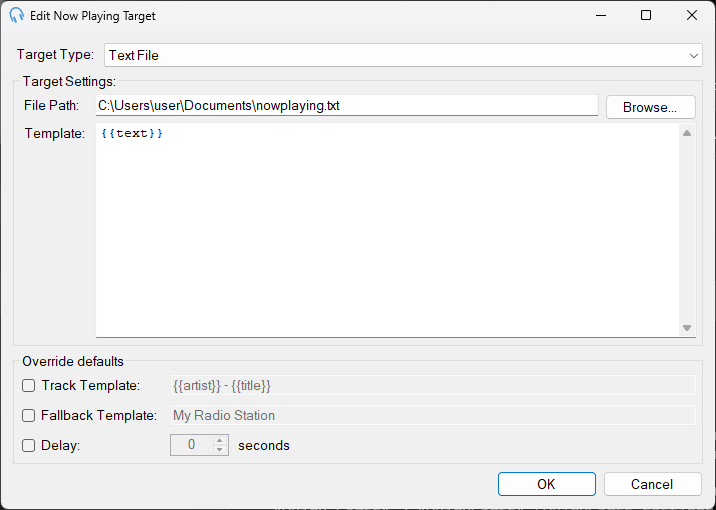
To open this window, click Add New... or Edit... in the Targets section of the Now Playing window.
1
Target Type

Select the type of target where the Now Playing data will be sent:
- Text File writes the information to a local text file.
- HTTP Web Request sends the information as an HTTP POST or GET request to a URL.
- TCP/IP transmits the information to a specified host and port.
- Internet Broadcast sends data to connected Internet Broadcast streams.
2
Target Settings
The settings vary based on the selected target type.
Text File
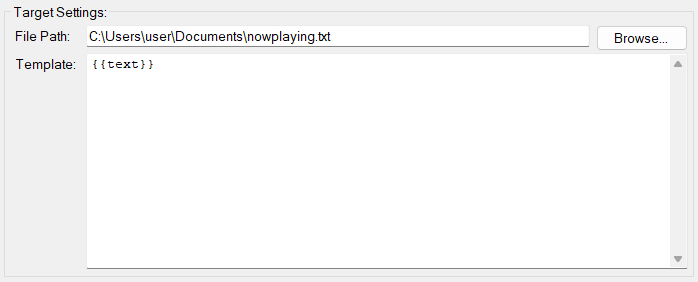
- File Path specifies the location of the text file (e.g.
C:\NowPlaying\nowplaying.txt). - Template defines the format using placeholders (e.g.
{{text}}). See Now Playing Placeholders.
HTTP Web Request
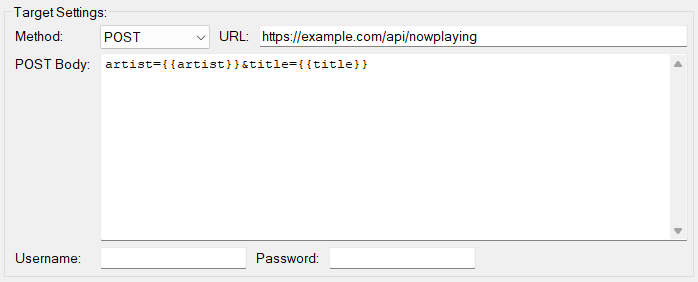
- Method selects between GET or POST.
- URL is the endpoint where the request will be sent.
- POST Body defines the content for POST requests, using placeholders. See Now Playing Placeholders.
- Username and Password provide credentials if the endpoint requires authentication.
TCP/IP
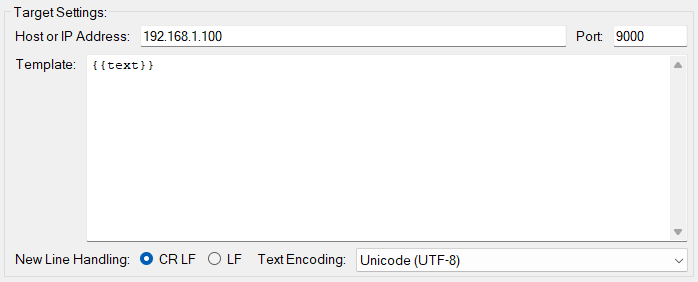
- Host or IP Address specifies the destination host or IP.
- Port is the port number for the connection.
- Template defines the data to send using placeholders (e.g.
{{text}}). See Now Playing Placeholders. - New Line Handling selects how new lines are handled (CR LF, LF).
- Text Encoding selects the encoding format (e.g. Unicode (UTF-8)).
Internet Broadcast
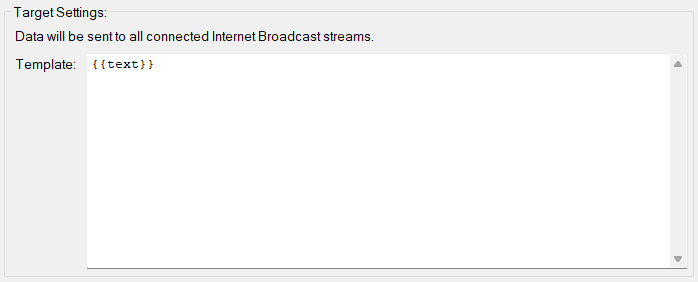
- Template defines the data format sent to connected streams. See Now Playing Placeholders.
3
Override defaults

Allows you to override the default settings for this specific target:
- Track Template defines a custom format for eligible tracks.
- Fallback Template defines a custom format for ineligible tracks. Use
^IGNORE^to prevent sending. - Delay sets a custom delay in seconds before sending data.
4
OK
Saves the target configuration and returns to the Now Playing window.
5
Cancel
Discards any changes and closes the window without saving.