Export Playout Log
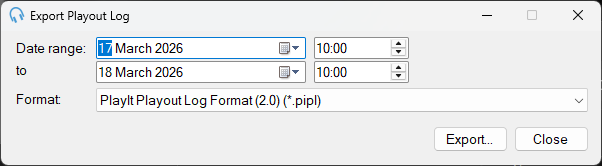
The Export Playout Log window allows you to export the playout log for a selected date range to a text file. The exported file can be imported back into PlayIt Live at a different date or time, or distributed to presenters for show planning.
1
Date range

The date range to export.
2
Format

The format of the export. Choose PlayIt Playout Log Format to export in a format that can be imported back into PlayIt Live at a different time. Choose Plain Text Format to export a human-readable version for distributing to presenters for show planning.
3
Export

Click Export to export the selected date range. You will be prompted to select a file to save the playout log to.
4
Close

Click Close to close the window without exporting.