Database Clean-up
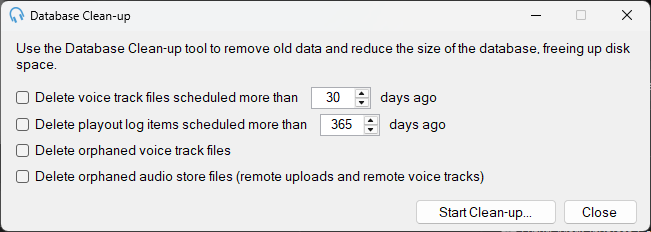
The Database Clean-up window is used to remove old data such as playout log items, voice tracks and uploaded audio store files.
To open the window, go to Tools > Database Clean-up.
Clean-up options
- Delete playout log items scheduled more than - Delete playout log entries older than the specified number of days.
- Delete voice track files scheduled more than - Delete voice track audio files older than the specified number of days.
- Delete orphaned voice track files - Delete voice track files that are in the voice track recordings folder but are no longer referenced by any voice track items in the database.
- Delete orphaned audio store files (remote uploads and remote voice tracks) - Delete audio store files that are in the audio store folder but are no longer referenced by any tracks in the database.
Running a cleanup
- Select the cleanup options you want to apply and configure the number of days where applicable.
- Click Start Clean-up... to begin.
- You will be prompted to perform a Dry Run first, which shows what items would be deleted without actually deleting them.
- When you are satisfied with the results, click Clean-up Now to apply the changes.