What is PlayIt Live?
PlayIt Live is radio broadcast automation and playout software for Windows. It schedules and plays out your station's audio (music, jingles, adverts, and presenter links) either fully automated, fully live, or anywhere in between. It is used by community, internet, hospital, school, and commercial radio stations around the world.
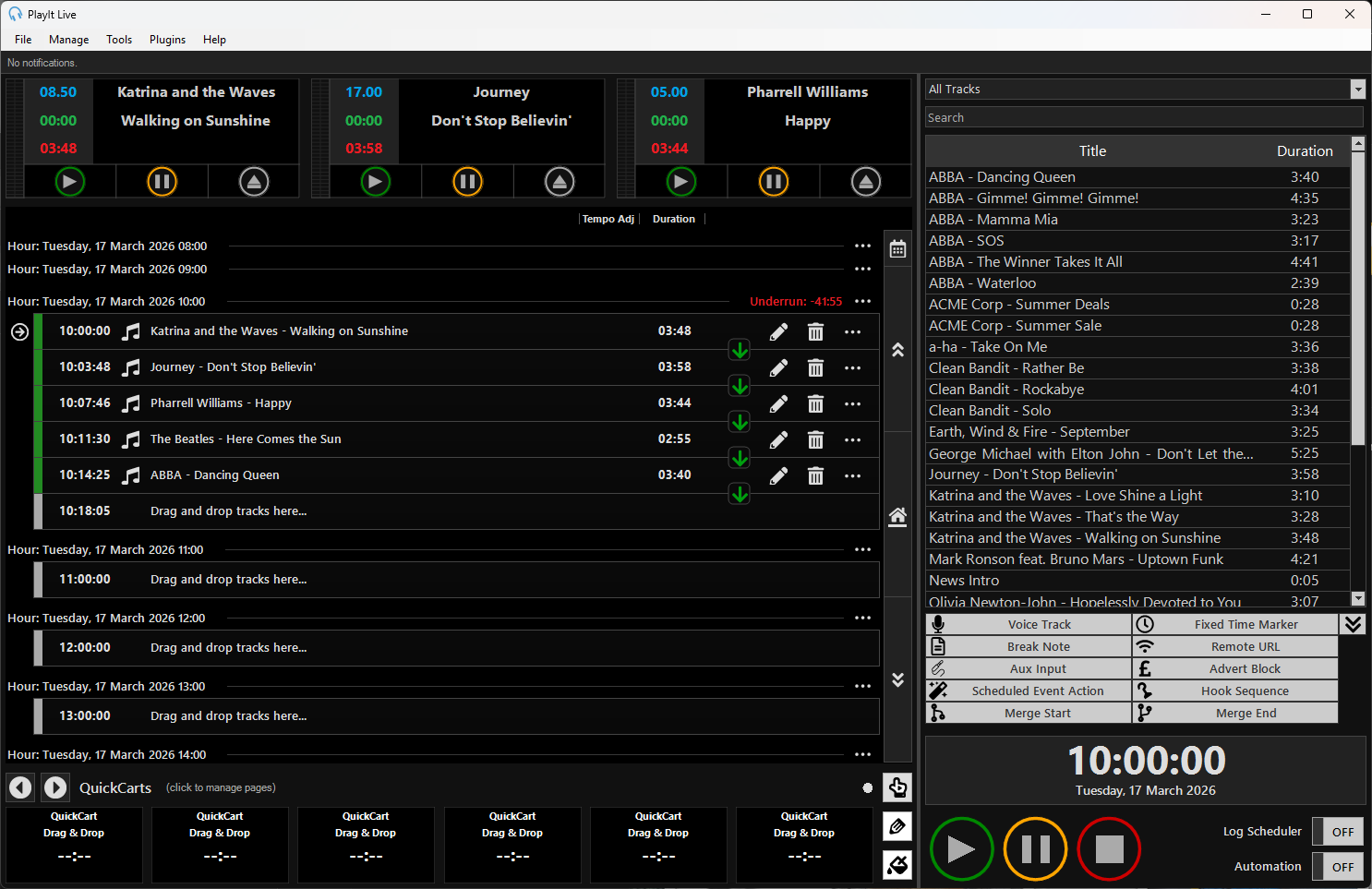
The PlayIt Live main window in Live-Assist mode.
PlayIt Live is free to download and use, with optional premium features for professional broadcasters.
What you can do with PlayIt Live
- Play out audio - Run your station from a single playout log, with multiple players that load and play tracks in sequence. Choose between Live-Assist Mode for hands-on presenting and Decks Mode for a classic radio deck layout.
- Manage a music library - Import and organize your audio as Tracks, each with the artist, title, intro, segue, and cue points needed for smooth playback. Organize your library with Track Groups.
- Automate your output - Build a Playout Pattern or hour-long Clocks and let PlayIt Live generate a Playout Log automatically, applying Playout Policies to keep a consistent sound.
- Schedule adverts and events - Run commercial breaks with Advert Scheduling, and trigger actions at set times with Scheduled Events.
- Voice track shows in advance - Record presenter links between tracks with Voice Tracking, so a show can sound live even when it is pre-produced.
- Broadcast to the internet - Stream your output to an Icecast or Shoutcast server and publish now-playing information from the Tools menu.
- Work remotely - Manage your station, present, or voice track from anywhere using the Built-in Remote Access Server.
Player modes
PlayIt Live has two player modes, which you can switch between from File > Settings > Player Mode:
- Live-Assist Mode is the primary mode. It combines a playout log of upcoming items with players at the top, letting you run a fully automated station, present live, or assist a live show.
- Decks Mode presents a classic radio deck interface, with separate decks that you load and play manually.
Extending PlayIt Live
PlayIt Live can be integrated with other systems and automated through the Control API, a premium feature that lets you control PlayIt Live programmatically from external hardware and software.
Where to go next
- Installation - Download and install PlayIt Live.
- Getting Started - Activate PlayIt Live and log in.
- Concepts - Understand the building blocks of PlayIt Live and how they fit together.
- The Main Window - Find your way around the interface.
- Glossary - Definitions of common PlayIt Live terms.