Manage Clocks Window
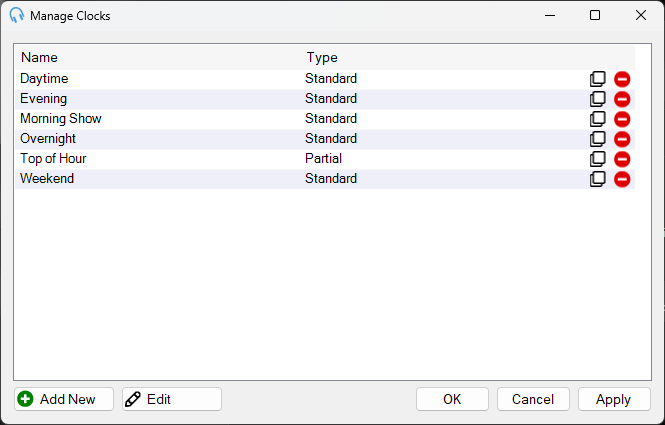
Lists all the clocks in the system. Double-click an entry to begin editing and launch the Edit Clock window.
1
Clocks list

Shows the list of clocks in the system. Each clock displays its name and type. Double-click an entry to begin editing.
Each row has a Clone button to create a copy of the selected clock, which is useful for making small adjustments without rebuilding the entire clock. Each row also has a Delete button to remove the clock from the system.
4
OK

Click OK to save changes.
5
Cancel

Click Cancel to discard changes.
6
Apply

Click Apply to save changes without closing the window.