Manage Priority Streams Window
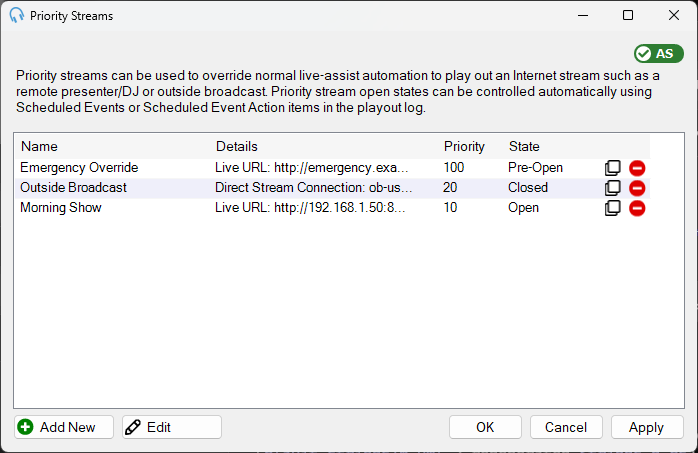
The Manage Priority Streams window shows all configured priority streams and lets you add, edit, clone, and delete them. For an explanation of how priority streams work, see the Priority Streams overview.
1
Priority Stream List

Lists all the priority streams stored in the database. The list shows the name, connection details, priority, and open state for each stream. Double-click an entry to open the Edit Priority Stream window. Click the Clone button to duplicate a priority stream, or the Delete button to remove it from the database.


4
OK

Click OK to save changes and close the window.
5
Cancel

Click Cancel to discard changes and close the window.
6
Apply

Click Apply to save changes without closing the window.