About PlayIt Live
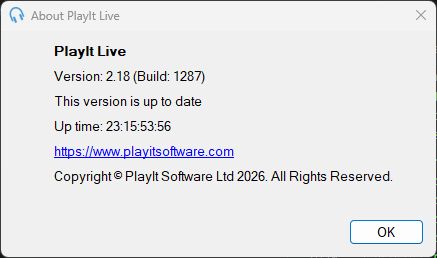
The About window can be accessed from Help > About PlayIt Live in the menu bar.
1
Current Version

Shows the currently installed version of PlayIt Live.
2
New Version Check

When a new version is available you will be notified with a link to download the latest version.
3
Up Time

Shows how long the software has been running. The time is shown in the format days:hours:minutes:seconds.
4
OK Button

Click the OK button to close the window.