Edit Aux Input Settings Window
The Edit Aux Input Settings window is used to configure an aux input clock item. Aux input items can play live audio from an external input device on your computer. This is typically used to pull in a live news feed from an external provider such as IRN/Sky News over satellite. This window is launched from the Edit Clock window.
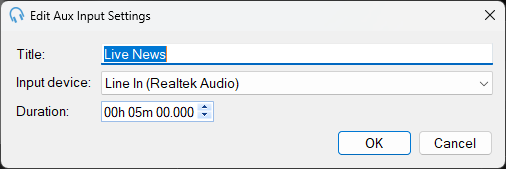
Title

The title for the item. This is shown on the live log.
Input device

The input device to pull the audio from. This can be a stereo or a mono device. Please note that the mono channel of a device cannot be used at the same time if it is used within a stereo channel.
Duration
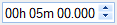
The duration to play the audio for. The aux input will play live audio from the selected device for this duration and then stop.
OK Button

Click OK to save the settings and close the window.
Cancel Button

Click Cancel to discard changes and close the window.