Editing Adverts
The advert editor opens within the campaign editor when you add an advert or click the pencil icon next to one in the campaign's adverts list. An advert is a single cut of audio together with the rules that control when and how often it plays.
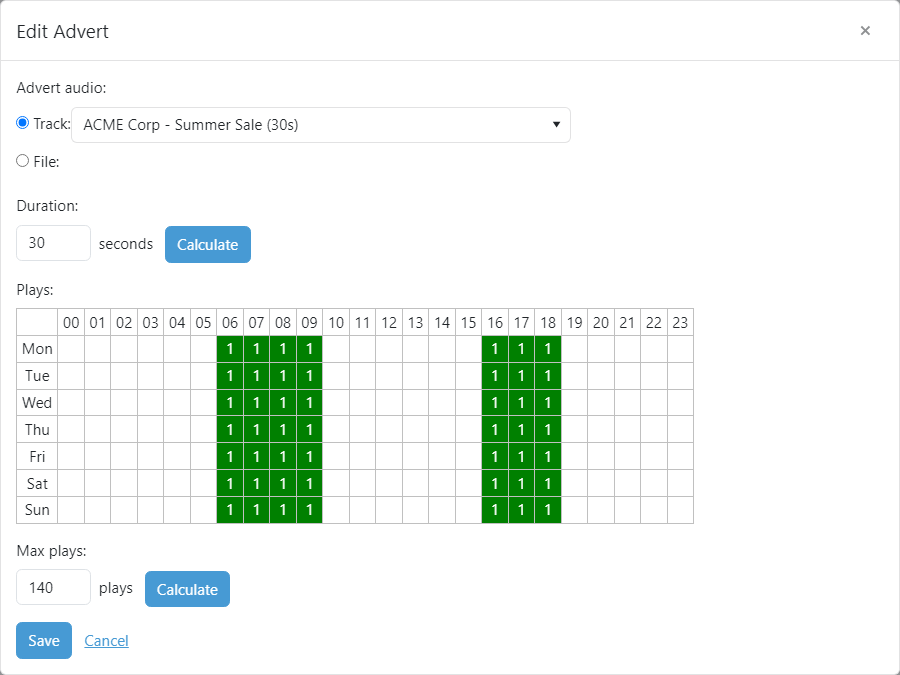
Advert audio

The audio cut to play for the advert. Choose an existing track already added to PlayIt Manager, or enter the path to a file on the server.
Duration

The duration of the advert, in whole seconds, used by the advert scheduler to ensure an advert block does not run over. This field is populated automatically when you choose a track or audio file. It is usually best kept to a multiple of 5 (for example 5, 10, 15 or 30 seconds) so the scheduler can fit adverts into whole minutes such as 1 minute or 2 minutes.
Plays
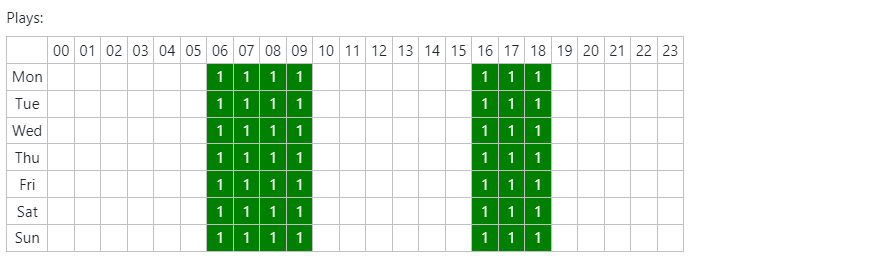
The Plays grid shows how many times the advert should play at each hour of each day. To change the plays for a single day and hour, click the cell, type the number of plays and press Enter. Click a column heading to set every day for that hour, or a row heading to set every hour for that day.
Max plays

The maximum number of times the advert will play across the campaign dates.
Save / Cancel

Click Save to keep your changes, or Cancel to discard them and close the window.