Security Settings
You can restrict access to PlayIt Manager so that unauthorised people cannot use it. Logins and passwords are managed on the Users page.
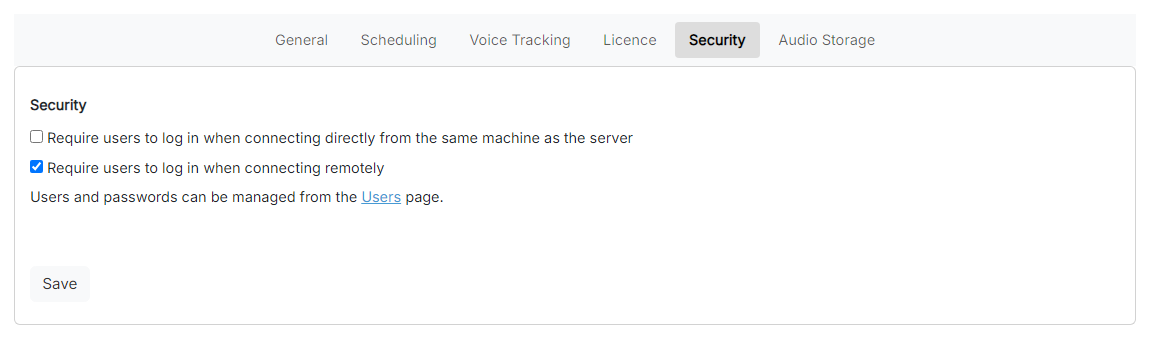
The Security Settings page.
1
Require login locally

Require a login when PlayIt Manager is accessed from the same machine it is installed on. Enable this if you want to prevent direct access without signing in.
2
Require login remotely

Require a login when PlayIt Manager is accessed from another machine. This is recommended when you allow remote access, as it prevents unauthorised users connecting from outside.
3
Users page link

A link to the Users page, where you create users and set their passwords and permissions.
4
Save

Save your changes.
When a login is required, anyone connecting to PlayIt Manager is asked to sign in before they can use it.