Listing Track Groups
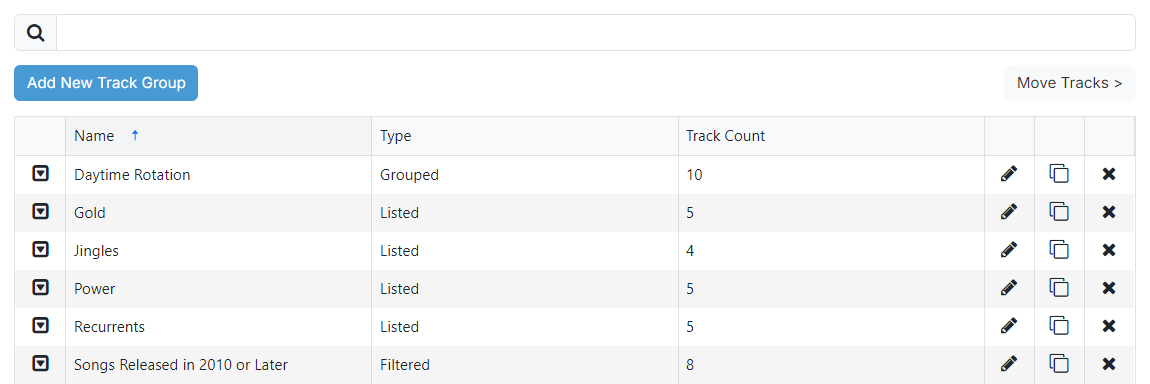
1
Search

Filter track groups to the name entered in the text box.
2
Add New Track Group button

Add a new track group to PlayIt Manager. A popup is displayed to choose the type of track group:
- Listed: manually choose tracks from a list. See Listed Track Groups.
- Filtered: match tracks by their properties such as artist, title, genre or year. See Filtered Track Groups.
- Grouped: combine multiple existing track groups. See Grouped Track Groups.
4
Track group list
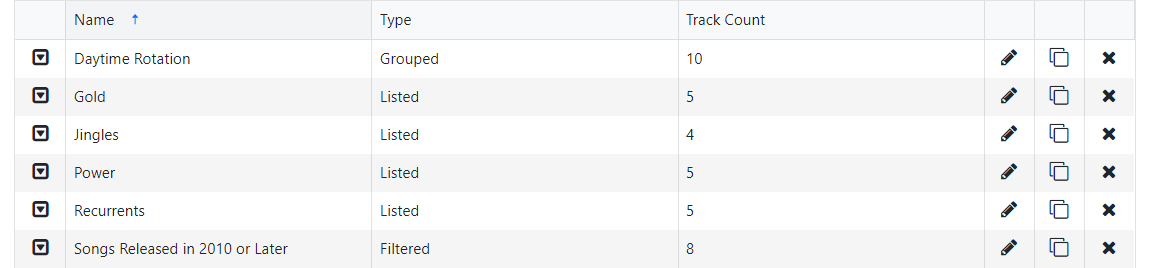
Lists track groups added to PlayIt Manager. It shows the name of each track group, the type of the track group and the number of tracks in the track group. The following action buttons are available:
- A drop down with all available options for the track group.
- An Edit button that opens the relevant edit page (Listed, Filtered or Grouped).
- A Delete button that prompts for confirmation before removing the track group.