Grouped Track Groups
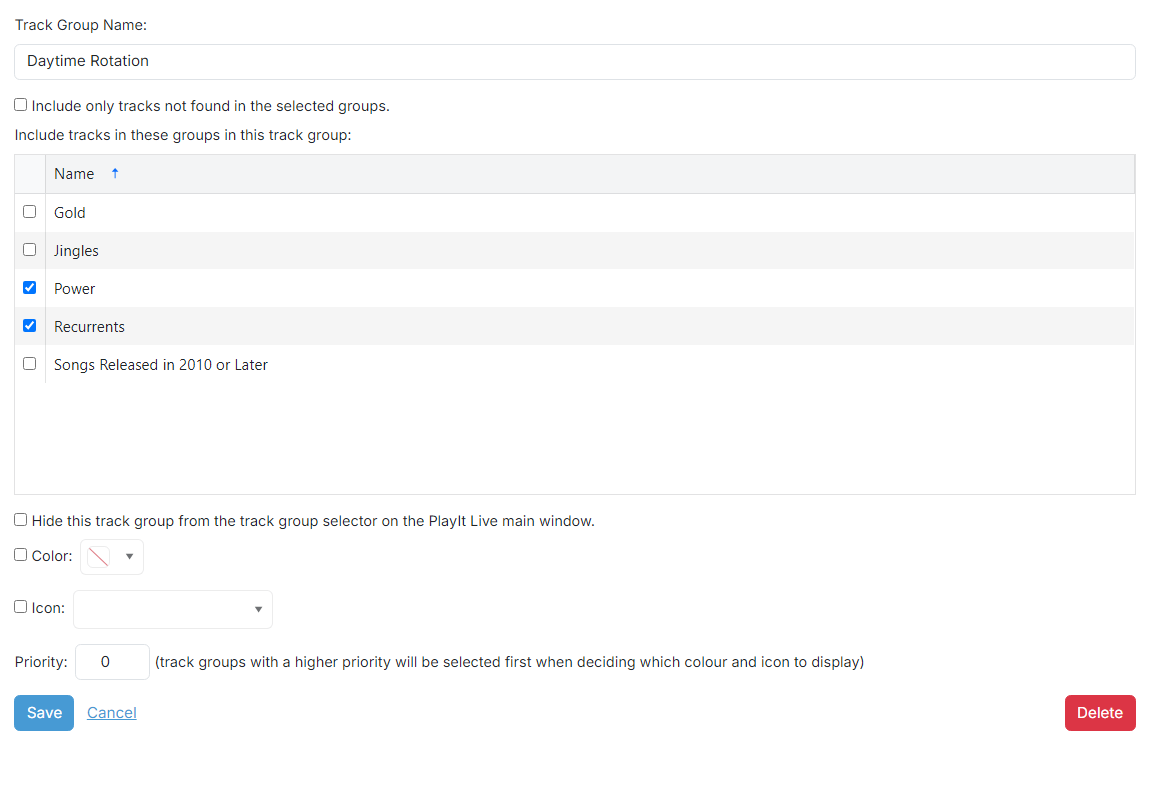
Grouped track groups combine multiple existing track groups into one. They are useful when you want to treat several groups as a single set, for example a Daytime Rotation that includes both your Power and Recurrents groups.
1
Track Group Name

The name of the track group. This is shown in the track group dropdown in PlayIt Live to filter by track group.
2
Invert group list

Check this box to exclude the selected track groups instead of including them. When inverted, tracks belonging to any of the selected groups are removed from the result.
3
Track group list
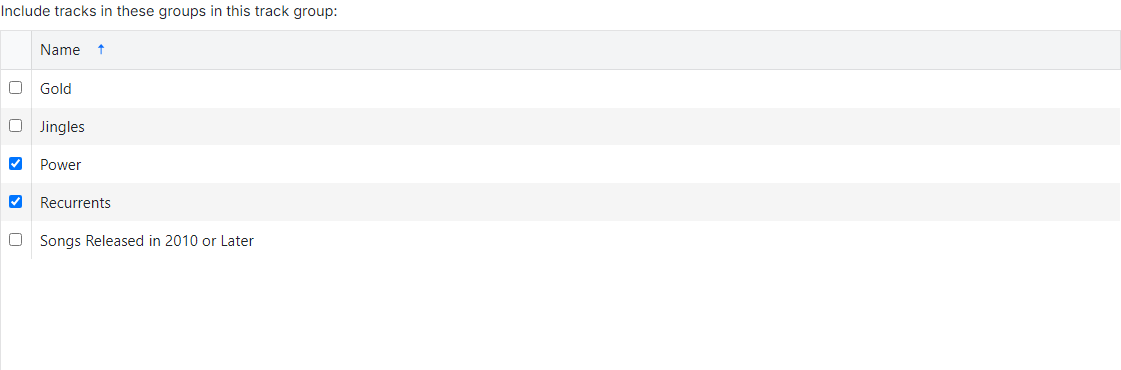
Check the check box beside each track group you want to include in (or exclude from, when Invert group list is on) this track group.
4
Hide this track group

Check this box to hide the track group from the track group selector on the PlayIt Live main window.

6
Track group operations

- Use the Save button to save the track group to the database.
- Use the Cancel button to discard all changes and return to the track group list.
- Use the Delete button to remove the track group from the database. A confirmation prompt is shown first.