Database Clean-up
The Database Clean-up tool removes old data such as playout log items, voice tracks and uploaded audio store files, freeing up disk space. Orphaned files are files in the voice track recordings folder or audio store folder that are no longer referenced by any track or voice track item in the PlayIt Manager database.
Database Clean-up is found under the Tools section.
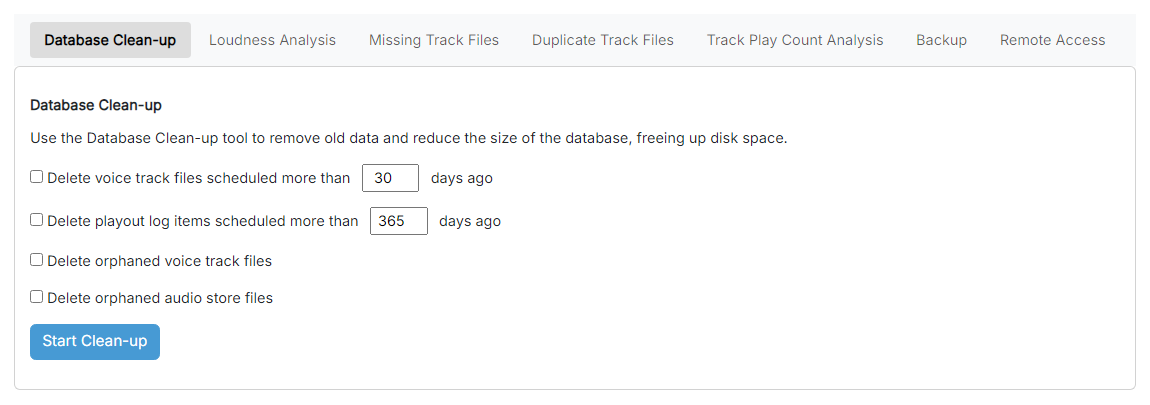
The Database Clean-up page.
Delete voice track files

Delete voice track files scheduled more than the given number of days ago.
Delete playout log items

Delete playout log items scheduled more than the given number of days ago.
Delete orphaned voice track files

Delete voice track files that are no longer referenced by any voice track item in the database.
Delete orphaned audio store files

Delete audio store files that are no longer referenced by any track in the database.
Start Clean-up

Begin the clean-up. You are first offered a Dry Run so you can see what would be deleted. Choose Clean-up Now when you are happy for the changes to be made.