Connect PlayIt Live
To synchronise data with PlayIt Live you need to connect PlayIt Live to PlayIt Manager. In PlayIt Live, open the File menu and choose Sync with a remote server… to open the connection window.
To connect you need two things from PlayIt Manager: a Server URL and a Sync Key. Both are shown on the Connect page.
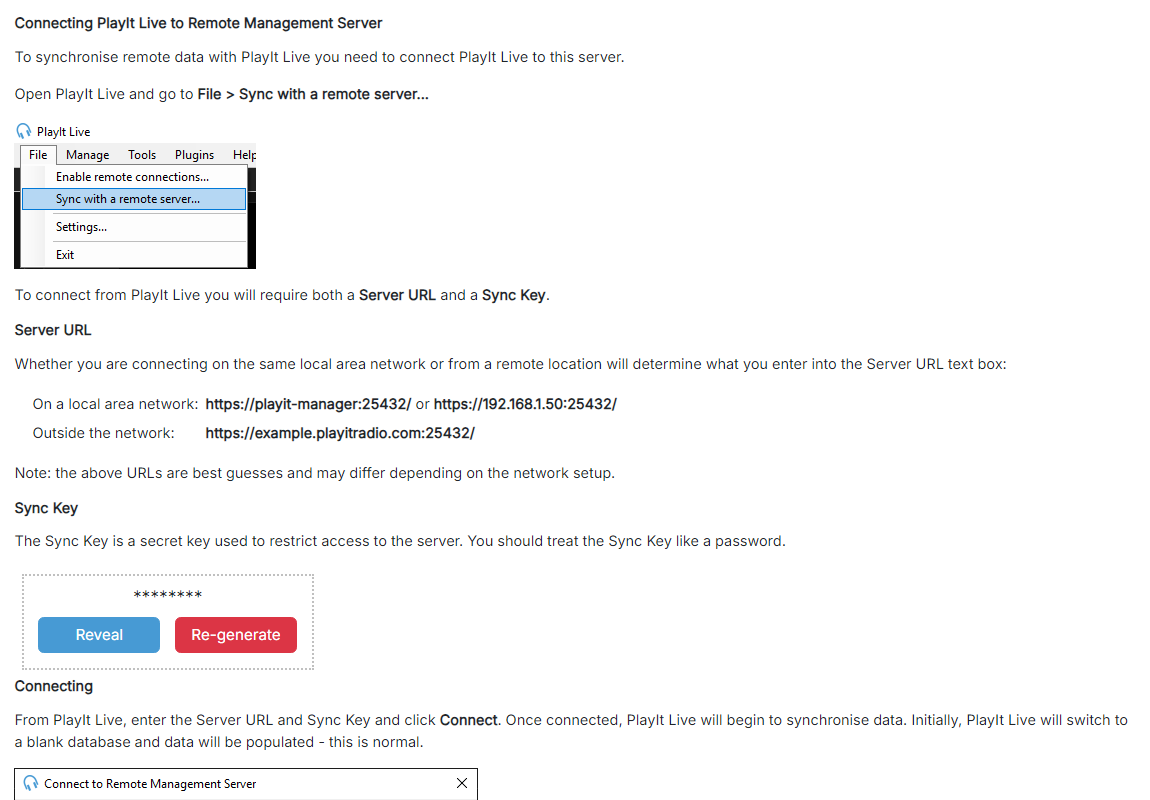
The PlayIt Manager Connect page.
Server URL

The address PlayIt Live uses to reach PlayIt Manager. Use a local-network address when PlayIt Live is on the same network as PlayIt Manager, or the outside-network address when connecting from a different network. The addresses are best guesses based on your network setup, so you may need to adjust them. See Setting up external access if connecting from outside your network.
Sync Key
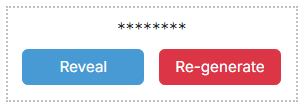
A secret key that restricts who can connect to PlayIt Manager. Treat it like a password. Click Reveal to show the key so you can copy it into the PlayIt Live sync window, and Re-generate to issue a new key. Re-generating invalidates the previous key, so any PlayIt Live instance still using the old key will need to be reconnected.
In the PlayIt Live sync window, enter the Server URL and Sync Key and click Connect. Once connected, PlayIt Live begins to synchronise data with PlayIt Manager. The first time it connects, PlayIt Live switches to a blank database which is then populated from the server. This is normal.