Editing Track/Artist Separation Playout Policies
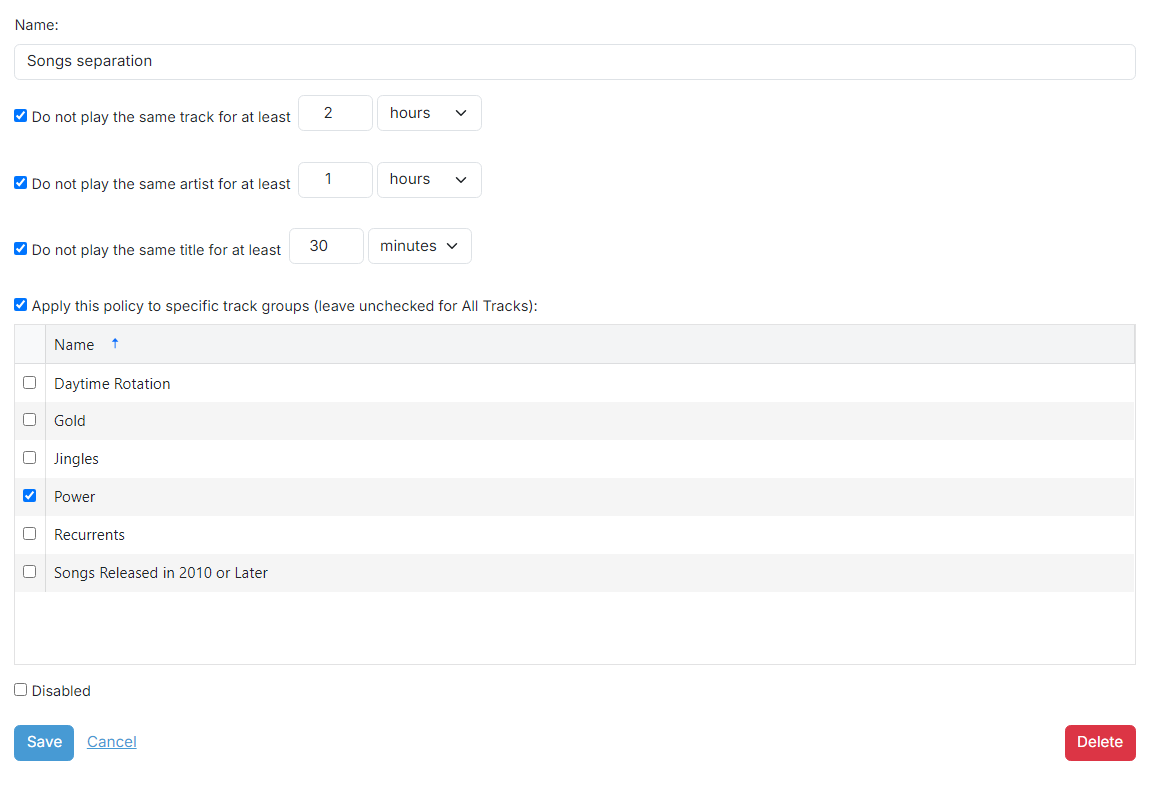
Playout policy name

The name of the playout policy. This is used for your reference.
Track separation

The minimum amount of time to wait before playing a track again.
Artist separation

The minimum amount of time to wait before playing a track by the same artist again.
Title separation

The minimum amount of time to wait before playing a track with the same title again.
What is the difference between track separation and title separation?
Track separation ensures that the same recording isn't played too frequently by recognising each track instance as unique.
Title separation deals with different songs that share the same title, such as Christmas songs. For example, multiple artists might have their own versions of "Silent Night". Bear in mind this will also separate completely different songs that happen to have the same title, such as 'Hello' by Adele and 'Hello' by Lionel Richie, or 'The Power of Love' by Jennifer Rush, 'The Power of Love' by Frankie Goes to Hollywood and 'The Power of Love' by Huey Lewis and the News.
Apply to specific track groups checkbox
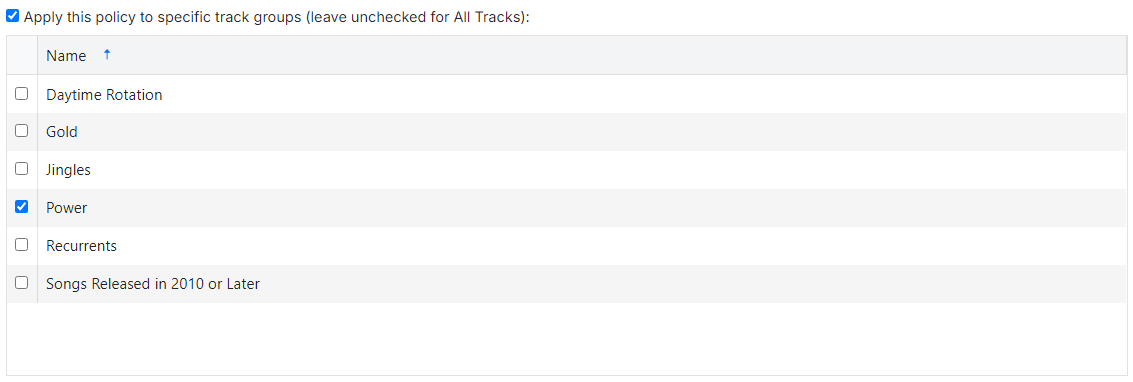
Check this checkbox to apply this playout policy to only tracks in the selected track groups below.
Playout policy operations

Use the Save button to save the playout policy to the database.
Use the Cancel button to discard all changes.
Use the Delete button to remove the playout policy from the database. A confirmation box will be shown.