Advert Log
The advert log shows the adverts that have played and will play, grouped by hour. The advert scheduler fills the log from your advert campaigns for any hour that has an advert block item in the playout log.
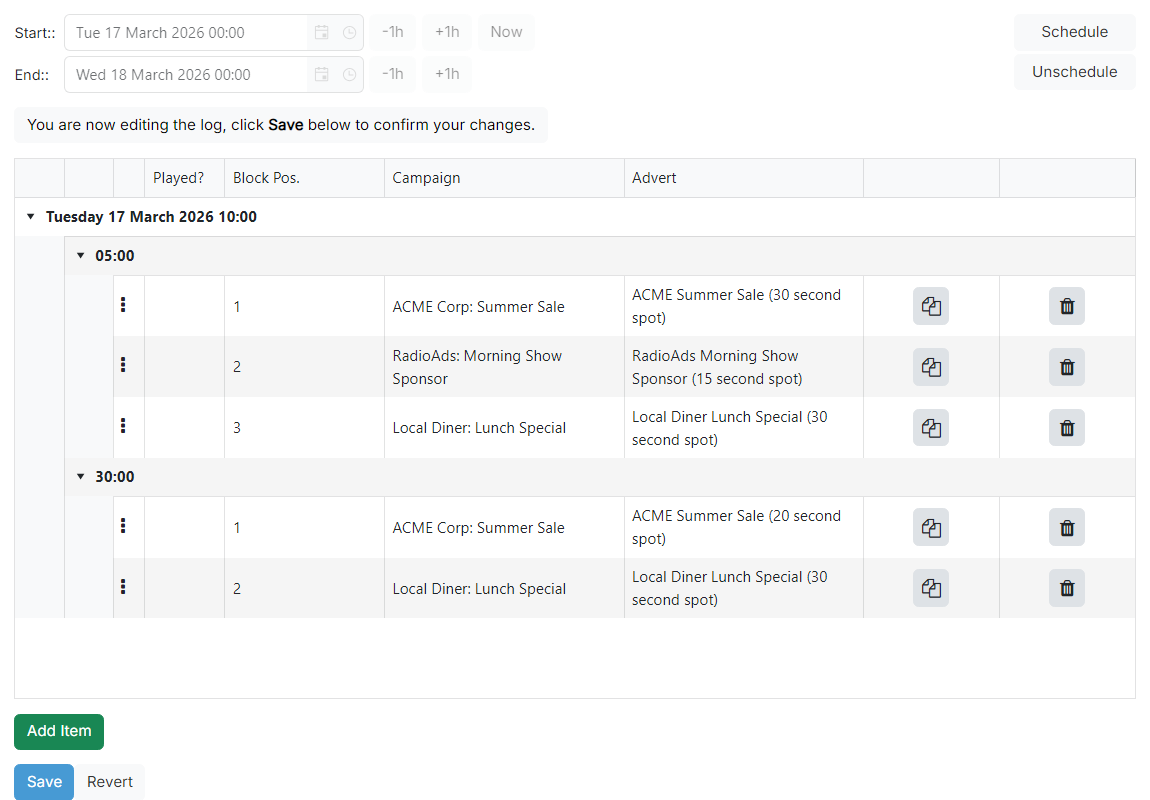
Date range

Choose the start and end of the period to view or edit. Click Now to jump the range to the current time.
Advert log list
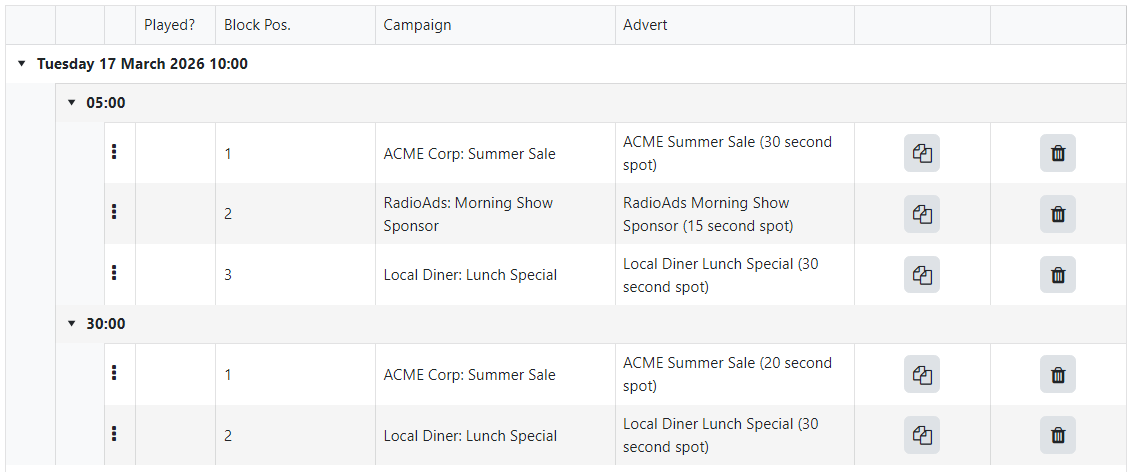
The log lists the scheduled advert plays grouped by hour and advert block, showing the campaign and advert for each play. The list is read-only until you click Start Editing Log. Once you are editing, each row gains a drag handle to reorder it and a Clone (copy icon) and Delete (trash icon) button: click Clone to duplicate an advert play, or Delete to remove one.
Schedule actions
After you start editing, use Schedule to populate the log with adverts for the selected range. If the log does not fill, check that the playout log has advert block items for the hours you are scheduling. Unschedule clears the scheduled adverts for the range.
Save / Revert

While editing, click Save to persist your changes to the advert log, or Revert to discard them and return to the read-only view.