Edit Project Window
Use the Edit Project window to change the project name and target recording duration of the current project. Open it from the main window by clicking the Edit Project... button or by selecting File > Edit Project... from the menu.
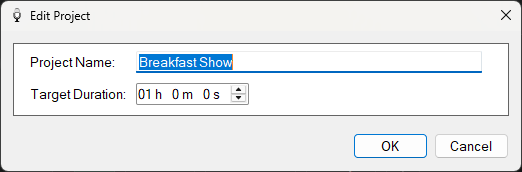
The Edit Project window.
1
Project Name

The name of the project for your own reference.
2
Target Duration

The target duration of your full project recording. This is typically the length of the final broadcast show.
3
OK button

Save your changes and close the Edit Project window.
4
Cancel button

Discard your changes and close the Edit Project window.