Choose Track Group Type Window
When you click Add New in the Manage Track Groups window, this dialog appears to let you choose which type of track group to create.
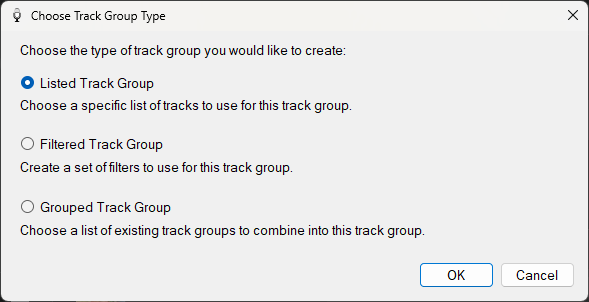
The Choose Track Group Type window with the three track group type options.
1
Listed Track Group

Select this option to create a Listed Track Group. Then click OK to open the Edit Listed Track Group window.
2
Filtered Track Group

Select this option to create a Filtered Track Group. Then click OK to open the Edit Filtered Track Group window.
3
Grouped Track Group

Select this option to create a Grouped Track Group. Then click OK to open the Edit Grouped Track Group window.
4
OK

Click OK to continue creating a track group of the selected type.
5
Cancel

Click Cancel to stop creating a new track group.