Segue Settings
The Segue Settings tab of the Settings window configures the default sweeper segue style and how PlayIt VoiceTrack ducks other players when sweepers or voice tracks are inserted into the playlist.
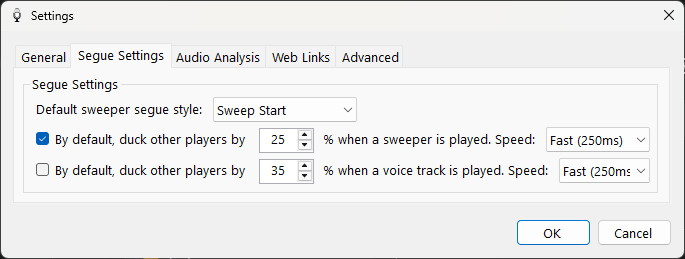
The Segue Settings tab of the Settings window.
Default sweeper segue style

The sweeper segue style to use by default when a sweeper is added to the playlist.
Sweeper volume ducking

When a sweeper is added to the playlist, you can automatically reduce (duck) the volume of other players playing at the same time. You can manually choose to duck the volume of other players via the segue editor.
Voice track volume ducking

When a voice track is added to the playlist, you can automatically reduce (duck) the volume of other players playing at the same time. You can manually choose to duck the volume of other players via the segue editor.