Select Data Source Window
PlayIt VoiceTrack has its own database for storing track and track group data. If you are also a user of PlayIt Live, you can use PlayIt Live's database instead. Tracks and track groups read from PlayIt Live are read-only and cannot be edited from within PlayIt VoiceTrack, but they can be viewed and used in your voice-tracked projects.
Open the Select Data Source window from the main window by selecting File > Select Data Source... from the menu.
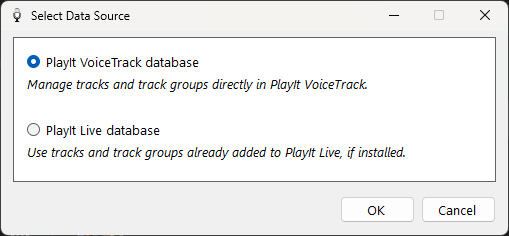
The Select Data Source window.
PlayIt VoiceTrack database

Select this option to use the PlayIt VoiceTrack database for managing track and track group data. Tracks can be managed from the Manage Tracks window and track groups can be managed from the Manage Track Groups window.
PlayIt Live database

Select this option to use your PlayIt Live database as the source of tracks and track groups. You can view tracks and track groups from the Manage Tracks and Manage Track Groups windows, but they cannot be edited from within PlayIt VoiceTrack. They must be managed from PlayIt Live. This option is only available when PlayIt Live is installed on the same computer.
OK Button

Save your changes and close the window.
Cancel Button

Discard your changes and close the window.