×
Menu
Index

Editing Track Set Separation Policies

 
Editing Track Set Separation Policies
1

Name

1. Name
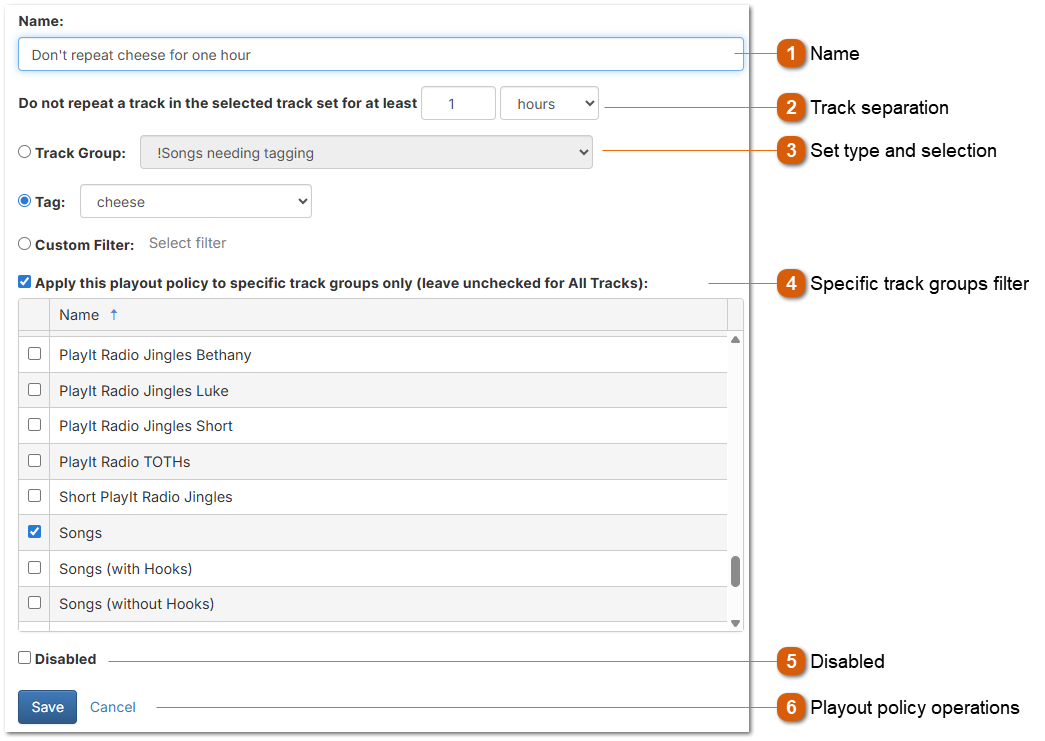
The name of the playout policy. This is used for your reference.
2

Track separation

2. Track separation
The minimum amount of time to wait before playing another track from this set of tracks.
3

Set type and selection

3. Set type and selection
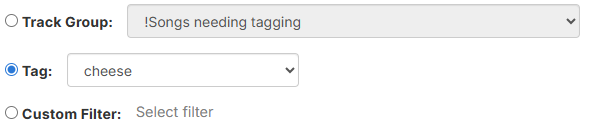
Choose how to define the track set for this policy:
 
Track Group: Select a track group to use a set with all the tracks within that group.
Tag: Select a tag to use a set with all tracks that have been tagged with the selected tag.
Custom Filter: Click "Select filter..." to choose a custom filter to use a set with all tracks matching the filter criteria.
4

Specific track groups filter

4. Specific track groups filter
Check the checkbox to ensure this playout policy is only applied to tracks in the selected track groups. Leave the checkbox unchecked to apply the policy to all tracks regardless of track group. This allows you to fine-tune which tracks are subject to the separation rule.
5

Disabled

5. Disabled
Disable a playout policy so it is not considered by the scheduler.
6

Playout policy operations

6. Playout policy operations
Use the Save button to save the playout policy to the database.
Use the Cancel button to discard all changes.